
Life hukc
Introduction
Leaving children home alone for the first time can be stressful for any parent. Worries about accidents, emergencies, or simply your child’s emotional readiness can make short outings feel overwhelming. Fortunately, Amazon Alexa’s “Drop-In” feature provides a simple and reliable solution. With this function, you can instantly start a two-way conversation from your smartphone to your Alexa device at home — just like using a walkie-talkie. In this article, we’ll explore how to set up and use this tool to support your child’s first steps toward independence while giving you peace of mind.
Main Content
1. What is Alexa’s Drop-In Feature?
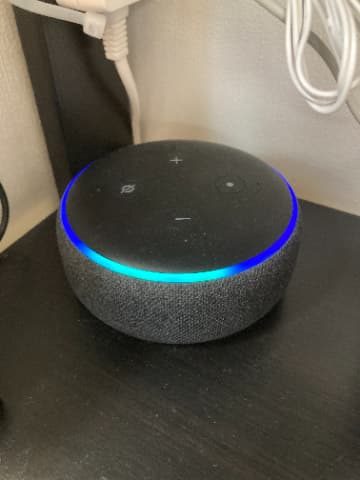
Alexa’s Drop-In feature allows instant, hands-free communication between Alexa devices and the Alexa app — no need for anyone to accept the call. This is ideal for young children who may not be able to operate phones or answer calls. Whether you’re just out shopping or at work, you can check in any time by simply using your smartphone.
2. Why Traditional Calls Fall Short for Kids
Phone and video calls require the receiver to accept the call, which can be difficult for children who may not know how to answer. Drop-In solves this by starting the call immediately, without any interaction needed on the child’s part. This ensures uninterrupted communication when it matters most.
3. How to Set Up and Use Drop-In from Anywhere
Here’s how you can activate Drop-In from your smartphone:
- Install the Alexa app on your phone (if not already installed).
- Open the app and tap the “Communicate” tab.
- Tap the “Drop-In” icon at the top.
- Choose your home device from the list.
- The call will start automatically with your home Echo device.
Tip: Alexa devices can only be linked to one Amazon account. If both parents want to use Drop-In from their phones:
- Install the Alexa app on both phones.
- Sign in using the same Amazon account or create a shared one for Alexa use.
This way, both parents can check in at any time without needing to share personal accounts.
4. Two-Step Strategy for Solo Time Success
Step 1: Always-On Connection
For your child’s first few solo experiences, start a Drop-In call and leave it connected. Set the volume low so you can monitor background sounds and check in occasionally. This constant link offers children comfort and gives you the ability to notice if something’s wrong right away.
Step 2: Timed Check-ins
Once your child is more confident, check in only at key times — for example, once when you leave and once before you return. A quick “I’m heading out now!” and “Be home soon!” reassures your child and builds trust.
5. How Kids Can Call Parents from Alexa
Kids can also contact you from home without touching a phone. Here’s how:
- Save the parents’ phone numbers in Alexa’s contact list using the Alexa app.
Example:- Dad: 070-XXXX-XXXX
- Mom: 070-XXXX-XXXX
- Then, kids can simply say:
“Alexa, call Dad.” or “Alexa, call Mom.”
No button-pressing, no phone unlocking — just voice. This empowers even preschool-age children to reach parents if needed.
Conclusion
Amazon Alexa’s Drop-In feature is a powerful tool for easing the transition to independent time at home. Whether you’re running errands or stuck in traffic, you can instantly connect with your child and ensure their safety. Starting around age four or five, this method has proven effective for many families — including mine. Your child will feel comforted by your voice, and you’ll have peace of mind knowing you’re only one voice command away.